
So much business-critical information never makes it into a spreadsheet - it's sitting in PDFs instead. Invoices, bank statements, receipts, contracts: all useful, all locked away. The problem is, PDFs weren't built to be analysed. They're built to be read, printed, and filed away, which makes the data inside them a nightmare to extract at scale.
In a recent client engagement, I faced this exact problem: 500+ PDFs tracking sensitive client data. The data was incredibly valuable, but trapped in unstructured, difficult-to-read and difficult-to-analyse text blocks.
To solve this, I used Azure Document Intelligence (a Microsoft Foundry tool). I built a custom no-code model that mapped the fields I wanted to extract from the document, extracted data from all 500 PDFs (plus any future uploads), and consolidated it directly into a clean, structured table in Microsoft Fabric.
How does it work?
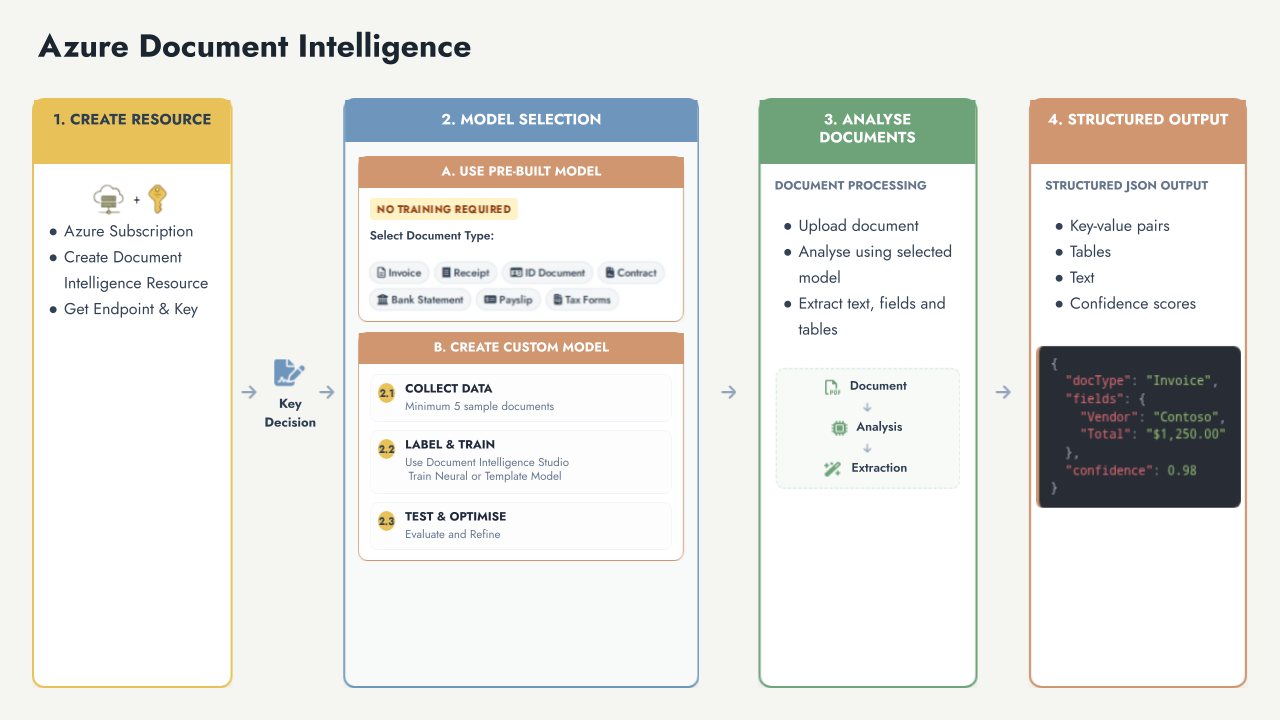
This tool uses advanced AI models to read unstructured documents and transform them into clean, structured data ready to flow into Microsoft Fabric and other analytical tools.
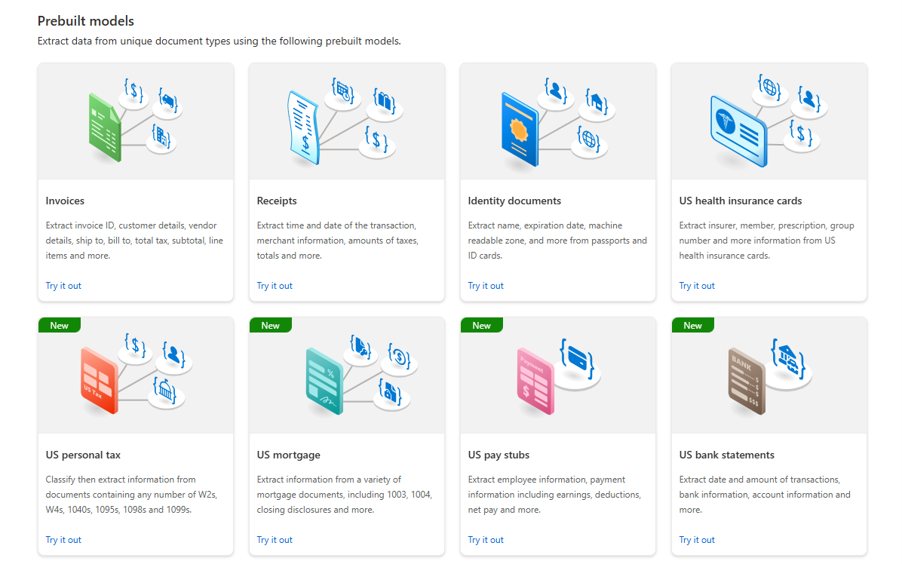
You can either use one of the ready-to-go prebuilt extraction models:
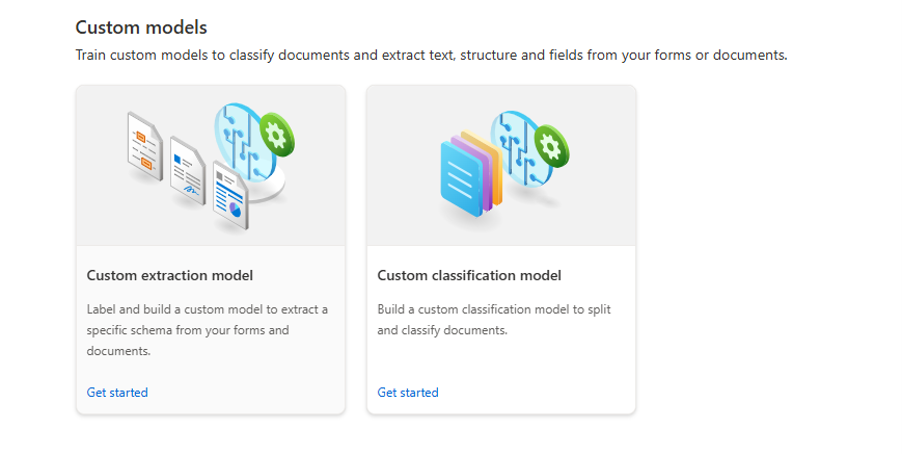
Or build your own by training it on a few sample documents (minimum of 5). Building a custom model lets you define exactly which fields should be extracted, improving accuracy for your specific document layouts. Best of all, it’s a no-code tool, which means you can train your model simply by highlighting and tagging fields!
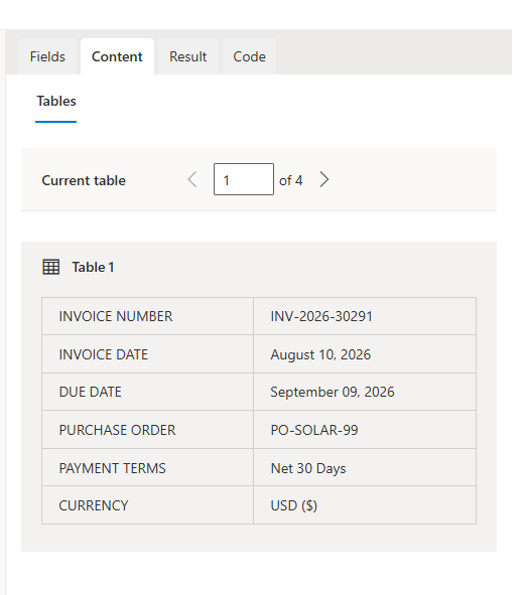
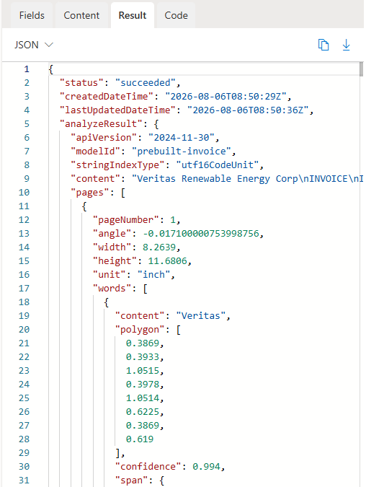
 The result is clean, structured data that can be loaded directly into analytics platforms such as Microsoft Fabric, Power BI, SQL databases or data warehouses:
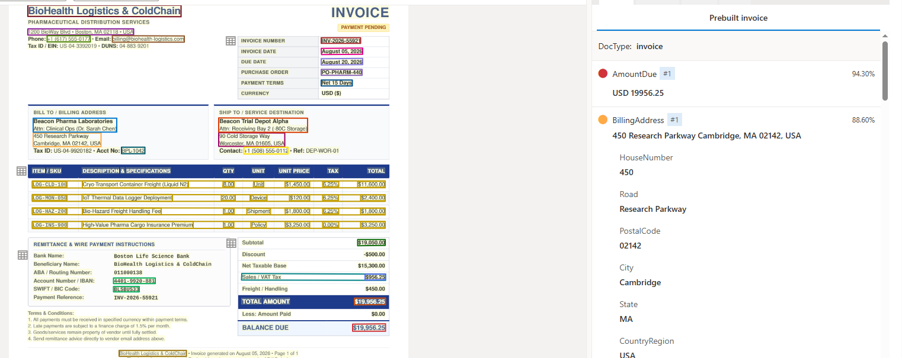 This image was generated with the help of AI
What Can You Do With It?
The free tier gives you a playground to prototype without adding to your bill:
Monthly volume: You can analyse up to 500 free pages per month.
File Limits: Processes up to the first 2 pages of any file (max 4 MB).
Core Features: You can test out layout parsing, text extraction (OCR), and standard prebuilt models.
If you have the budget and a high-volume production use case, upgrading gives you serious muscle:
Extend Volume Limits & Scale: Lift the 500-page monthly cap to process millions of pages via Pay-As-You-Go or discounted Commitment Tiers.
Advanced Custom AI: Train Custom Neural Models, use Custom Generative Extraction, and automatically sort and split documents with Custom Classification.
Heavy Batch Processing: Run massive batch jobs across prebuilt models, custom models, or standard read tasks all at once.
To put that in perspective: processing 1,000 pages of documents (roughly 1,000 single-page PDFs) would cost as little as $10 using prebuilt models, or around $30 for custom field extraction on more complex documents — a small price for the hours of manual work it saves.
Premium Add-ons: Access high-resolution extraction, font/formula recognition, and generative AI Query Fields to target specific data points.
Flexible Deployment: Run models in Connected or Disconnected Containers for strict security, compliance, or offline environments.
If your organisation has valuable information in PDFs, forms, invoices, contracts or scanned documents, Azure Document Intelligence can help transform it into structured, analysis-ready data. Whether you're processing hundreds of files or millions of pages, it's a powerful way to automate document extraction and unlock insights hidden in unstructured content.
To try it yourself, start with these Microsoft Learn guides:
1. Create a Resource: Create a Document Intelligence Resource - Foundry Tools | Microsoft Learn.
2B. Create a custom model: Build and train a custom model - Document Intelligence - Foundry Tools | Microsoft Learn
You can also read more about it and watch it in action here: https://azure.microsoft.com/en-us/products/ai-foundry/tools/document-intelligence#modal1